Doorbells and intercoms fail for a handful of predictable reasons. Understanding which one applies to you narrows down the fix.
Power loss is the most common cause. A circuit breaker trips due to an electrical overload elsewhere in the property, or someone accidentally switched it off during maintenance. In coastal areas, salt air can corrode the metal contacts inside the breaker, causing nuisance trips. Humidity from air conditioning use in summer can also trigger moisture-related faults.
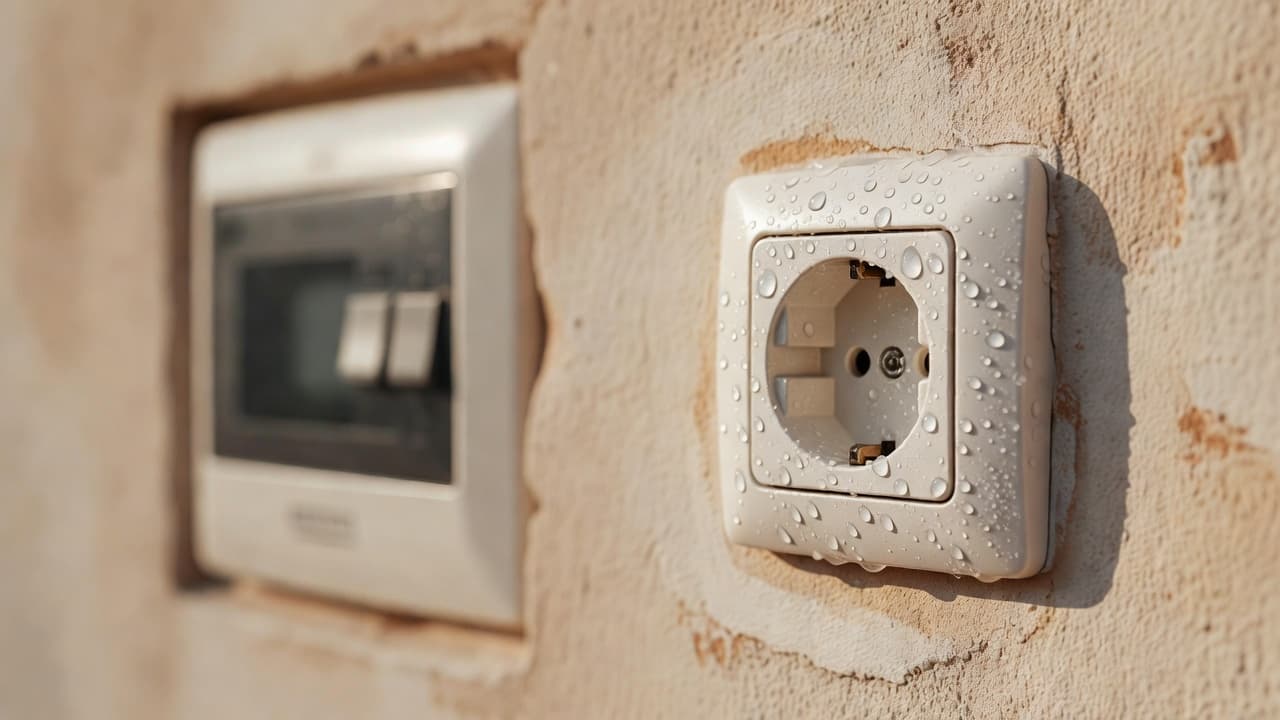
Loose or corroded connections inside the button. The doorbell button contains two metal contacts that touch when you press it. If the button housing is loose or water has entered (common near the entrance in a humid climate), those contacts no longer meet properly. The circuit never completes, so no signal reaches the chime.
Faulty transformer. Doorbells and intercoms use a transformer to step down mains voltage to a safe low voltage (typically 12V or 24V). If the transformer fails, there's no power to the system, even if the circuit breaker is on. This is more common in older systems or properties near the sea where corrosion has weakened the transformer windings.
Intercom software glitch. Modern intercom panels are small computers. They can crash or freeze, especially after a power cut or if the battery backup has run flat. A restart usually clears this.
Broken wiring inside the walls. Less common, but the cable running from the button to the chime (or from the transformer to the button) can be damaged by rodents, crushed during building work, or corroded if it's old and unshielded. This requires a professional trace and repair.
While you wait for an electrician, here's what you can safely do to restore some functionality.
If the circuit breaker keeps tripping. Switch it off and leave it off. Use your mobile phone or a smart doorbell app (if you have one) to alert visitors. Do not keep switching the breaker back on repeatedly—this suggests a fault elsewhere on that circuit, and forcing it risks fire. Call an electrician.
If the button is loose or cracked. Remove it carefully (push from behind, or unscrew if it's screwed in). Inspect the back. If you see corroded metal contacts or water inside, leave it off and tape over the hole with waterproof tape to prevent rain entering the wall cavity. Use an alternative method to alert visitors (phone, doorbell app, or a temporary battery-powered doorbell from a hardware shop, around €15–30, placed near the entrance).
If the intercom screen is frozen. Try unplugging it for 30 seconds (or switch off the circuit breaker dedicated to it). Plug it back in or switch the breaker back on. Wait 2–3 minutes for it to boot up fully. Test again.
For intercom systems, check the backup battery. Many modern intercoms have a small rechargeable battery that keeps the system alive during power cuts. If your system has a small compartment or removable panel, it may contain a battery. If it's discharged (no light, no sound), the system won't work. Try leaving the power on for 24 hours to allow it to charge, or ask your community manager or property owner whether the battery needs replacing.
If the chime unit is missing or silent. On a wired doorbell, the "chime" is the device that produces the sound—it's usually a small box inside the hallway or living room. If you can't find it, it may have been removed or disabled. Check with your neighbours or the property owner to see if it's a communal system or if you're responsible for it.
Stop and call a professional electrician immediately if any of these apply:
You see burnt or blackened plastic around the button or chime unit. This indicates an electrical fire hazard. Do not touch it. Switch off the circuit breaker and wait for the electrician.
The breaker trips again immediately after switching it back on. This suggests a short circuit or fault on that line, which is a fire risk. Leave it off.
Water is actively dripping or pooling near the button or intercom panel. Do not press the button. Water and electricity are a shock hazard. Switch off the breaker and call an electrician before attempting anything else.
The button or panel feels warm or hot to the touch. Switch off the breaker immediately and call an electrician. Heat indicates a fault.
You don't have a circuit breaker labelled for the doorbell. It may be on a shared circuit with other essential systems (like a light or socket). Do not experiment. Call an electrician to trace it safely.
Your property has a gas boiler or oil heating system connected to the intercom for servicing alerts. Don't disable it yourself. Contact your community manager or boiler supplier before any repair.
The system is communal (shared with neighbours in an apartment block). If the intercom serves the main entrance or is part of building security, this is the responsibility of the community of owners (comunidad de vecinos) or the property management company, not yours. Report it to them in writing.
A qualified electrician will take a methodical approach, starting with what you've already checked and moving deeper if needed.
They'll first confirm the circuit breaker isn't tripped and test that power is reaching the button and chime unit using a multimeter (a handheld device that measures electrical voltage safely). If power is present, they'll inspect the button and connections for corrosion or loose wires, which are often the culprit in coastal properties where salt air accelerates corrosion. They may clean and reconnect the contacts, or replace the button if it's damaged.
If power isn't reaching the button, they'll test the transformer and the wiring between the transformer and the button. If the transformer is faulty, they'll replace it—a straightforward job that usually takes 20–30 minutes. They'll also check that the low-voltage wiring is intact and properly insulated.
For intercom systems, the electrician will reset the unit, check the backup battery (and replace it if necessary), test all speakers and buzzers, and verify that the building's security settings are correctly configured. They may need to access the system's settings or contact the intercom manufacturer for software updates if the issue is a known glitch.
Before they leave, they should provide you with a receipt showing what was done. For newer systems or if they've replaced parts, they'll hand over any warranty documentation for those parts. Keep this for your records—it proves the work was done professionally if you need to claim on your property insurance later.
Coastal properties need a little extra care because salt spray and humidity corrode electrical contacts faster than in inland areas.
Have the system checked annually. A quick visual inspection by an electrician costs very little (usually €30–50 for a call-out) and can catch a failing transformer or corroded button before it stops working completely. This is especially worthwhile if your doorbell is exposed to sea air or rain.
Keep the button dry. If your button is on an exposed wall, ask the electrician to fit a weatherproof cover or hood if one isn't already installed. Water getting inside the button is the second-most common cause of failure.
Don't block the ventilation slots on the chime unit or intercom panel (if they have them). These prevent moisture build-up inside the electronics.
If you have a battery-backed intercom, ask your electrician when the battery was last replaced. Most rechargeable batteries last 5–8 years. If it's older, replace it proactively.
Document your system. Take a photo of the intercom panel and button, and note the brand and model (usually printed on the panel). Store this on your phone. When you do need to call an electrician or the manufacturer, you'll be able to describe the system quickly and accurately.
If you've gone through the checks above and the doorbell or intercom still isn't working, or if you're not comfortable checking the circuit breaker yourself, it's time to call in an electrician. They'll diagnose the fault quickly and get your system working again—usually within a day or two.
Contact a qualified electrician who can visit your property on the Mediterranean coast and repair your doorbell or intercom system safely.